All the tools are in the app on your machine, and run with the
internet off. The three cards marked also have an online half that
reaches players at home — see the note at the foot of this page.
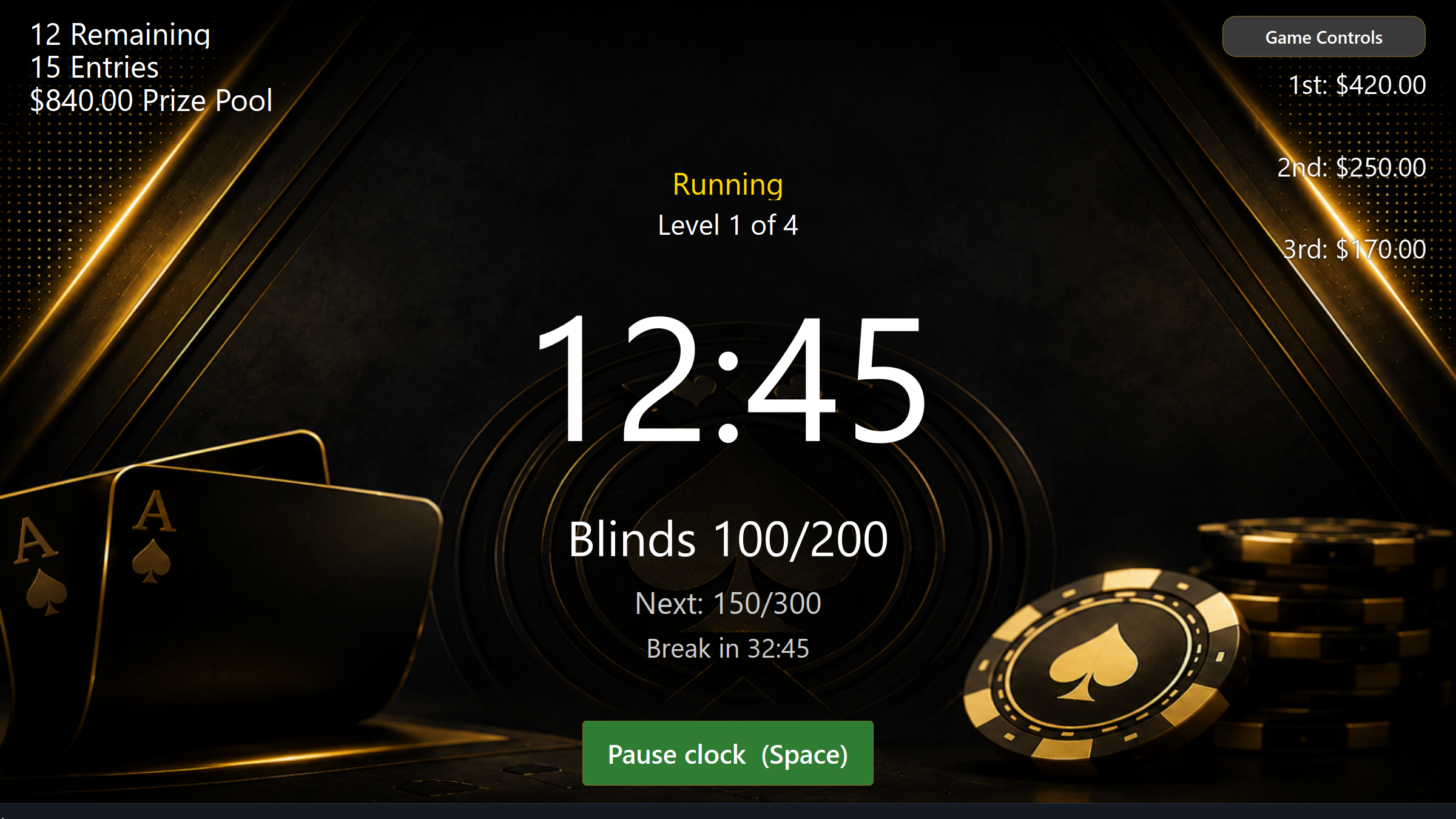
The clock
Build your own blind structures with breaks and antes, then save them and reuse them week after week. Levels advance themselves and are called out loud, so you can be across the room with your hands full.
Players
Buy-ins, rebuys, add-ons and bounties tracked per player. Finishing places are worked out as they bust — including the awkward one, where somebody registers after the game has already started.
Seating
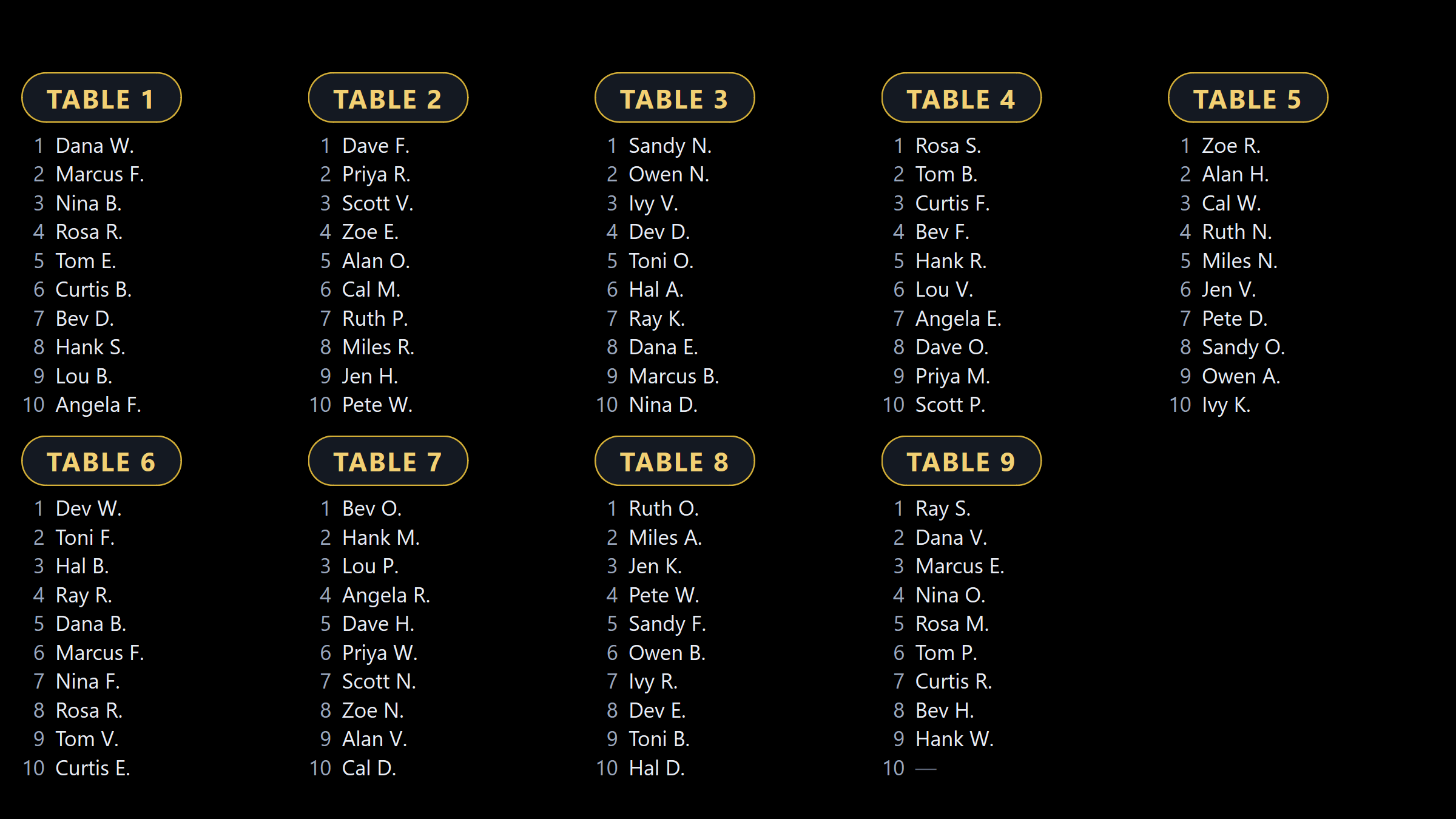
A random seat draw, a fullscreen chart built to be read from across the room, and a designer to lay the tables out the way your room actually looks. Rebalance as tables break.
Check-in
Needs Live Services
They scan a code at the door and put their own names on the roster, picking their add-ons as they go, while you take the money. The Check-In Desk puts the same arrivals on your own screen, and two players with the same name are asked apart as they walk in. The same code lets them check in days early — for the tournament or for a cash seat — so you know your numbers before the night.
The money
Take rake off the top as a percentage, a flat amount or so much a head, and the rest splits into whole dollars that add up to the pot. Money Collected tells you at a glance who still owes you, results record what the night cost each player as well as what they won, and a buy-in taken by mistake can be reversed.
Phone remote
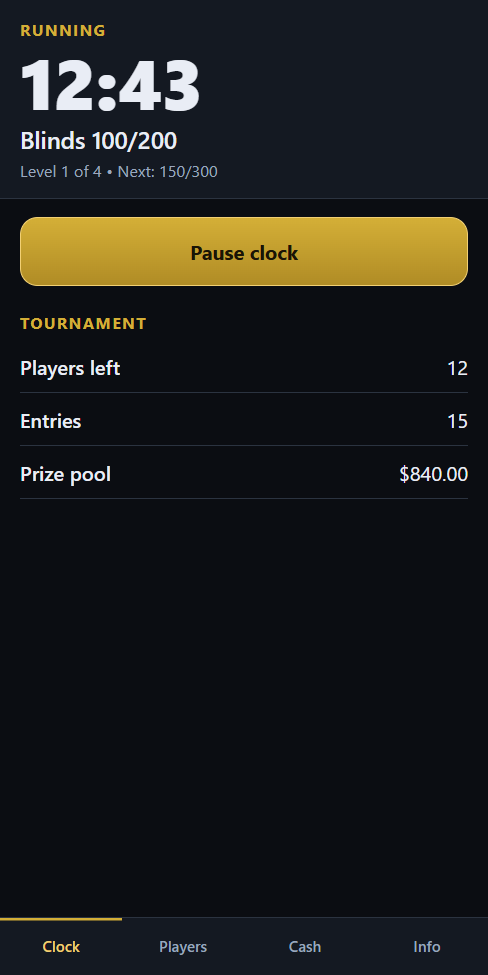
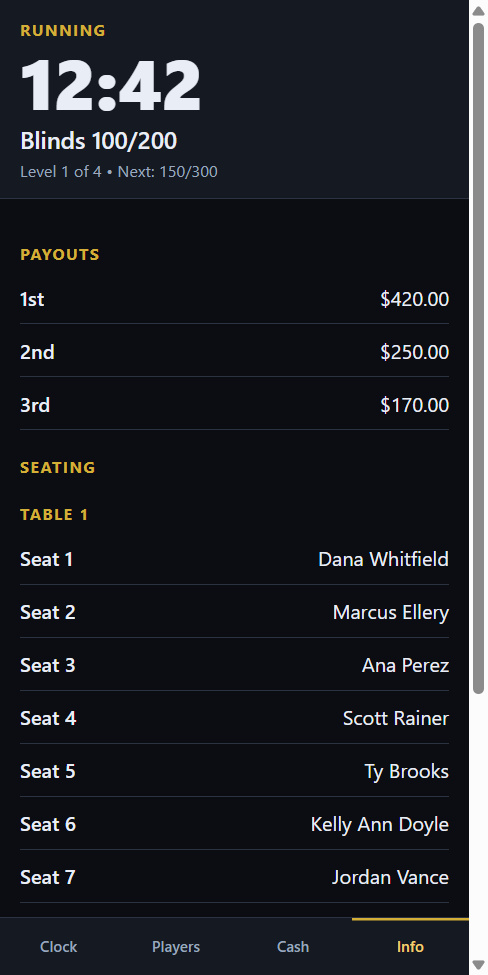
Hand a key to a person rather than a PIN to a room. Issue one to “Tom’s phone” or “Dealer 3”, say whether it runs the clock, knocks players out or works the cash list, and change that later without issuing a new one. Scan it across and it becomes an icon on their phone. Take one back on its own, or cancel the lot at once. It runs over your own wi-fi, and it tells you when it has lost the PC instead of quietly showing numbers that stopped being true.
The cash room
Needs Live Services
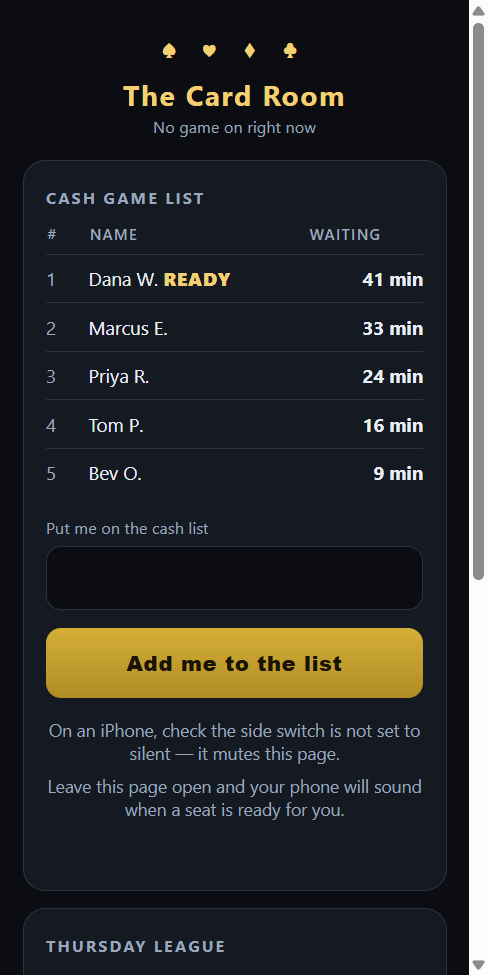
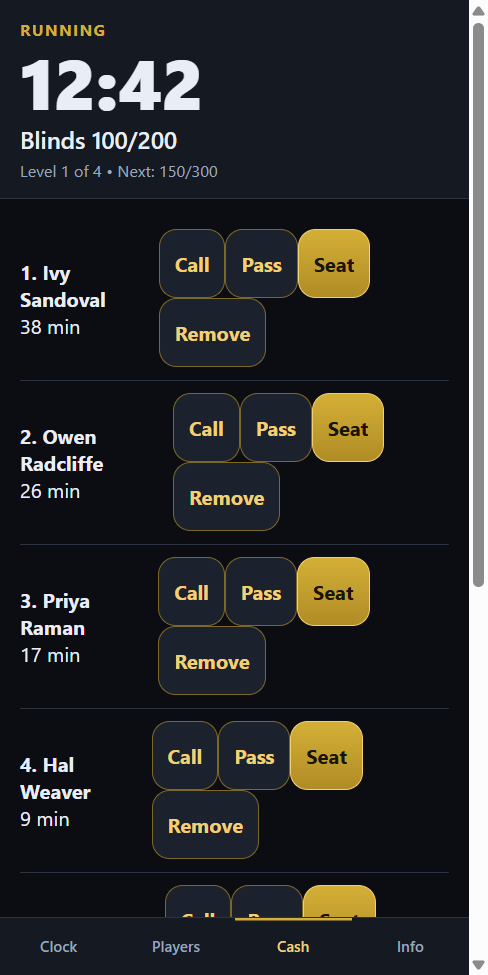
Every game the room is running at once, each with its own queue — the 1/3 hold’em, the 2/5 Omaha, the bomb pot. Players put their name down from their phone and watch the queue instead of standing at the desk asking, and they can be on as many lists as they like while sitting in exactly one chair. Open a table when you have the names for it, break one up and everybody goes back to the front, and move somebody to any open seat in the room. Called at a bad moment? They pass and keep their place. It runs whether or not a tournament is on.
High hands
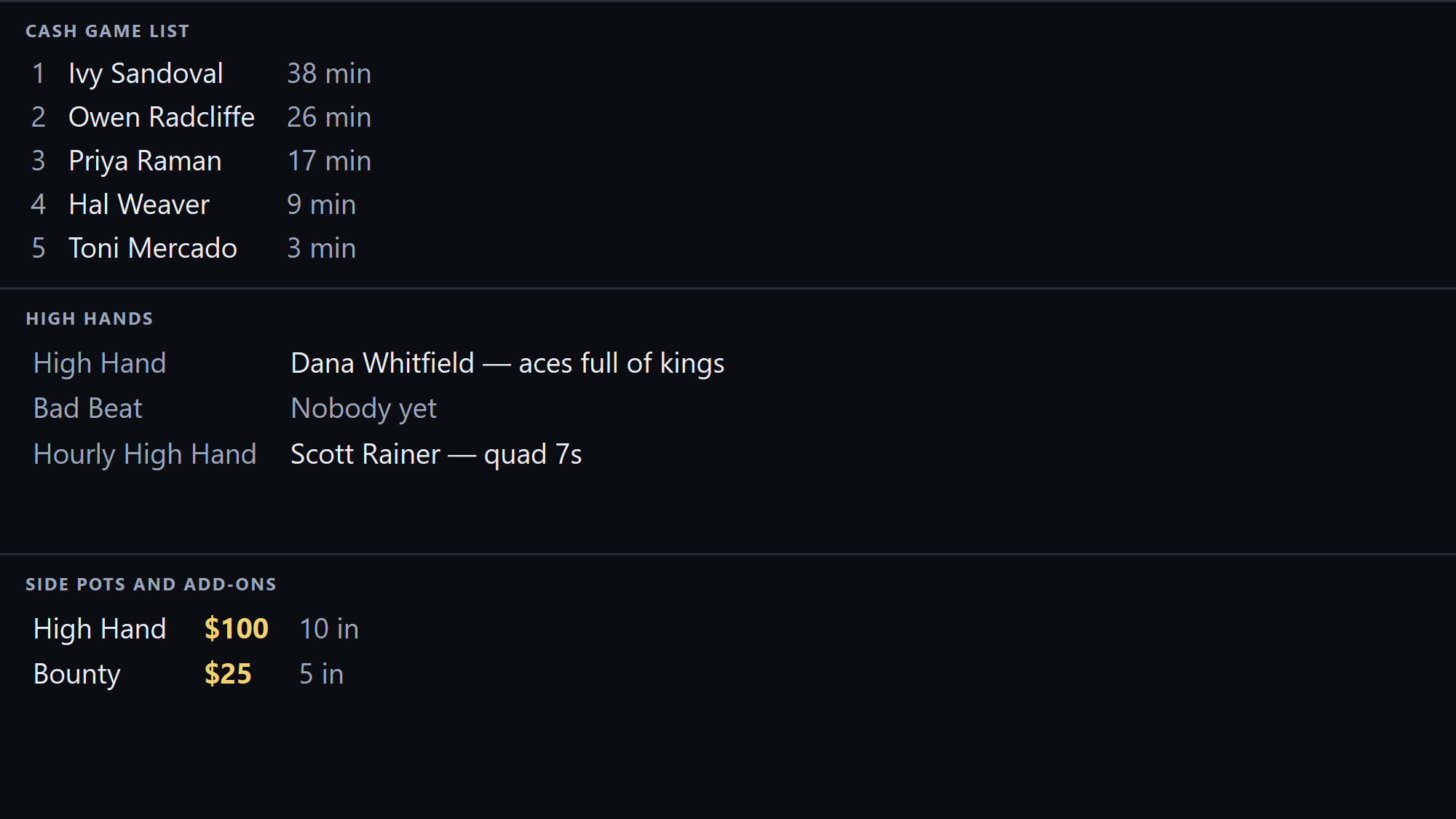
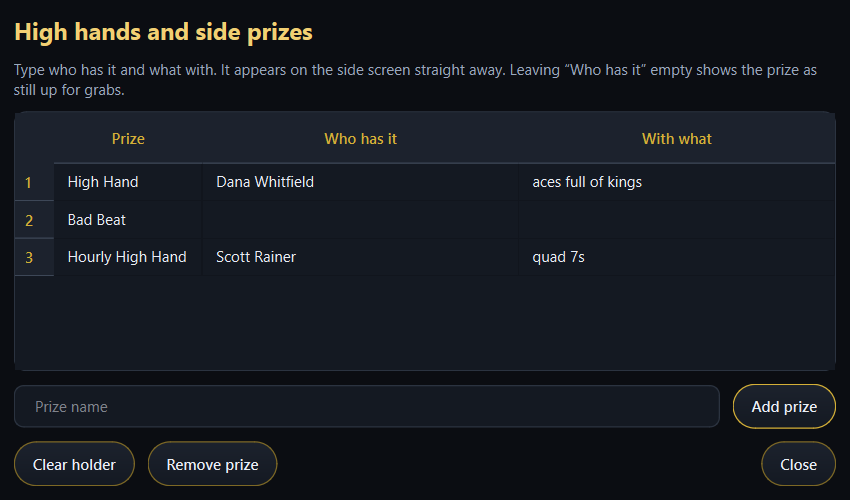
Record who holds the high hand, the bad beat and every other side prize, and what they are holding it with. The room reads it off the side screen, and the pot is worked out from everybody who actually paid for it.
Seasons
Needs Live Services
Points per finishing place across a whole season, with standings, a drop-lowest rule and a full game history you can go back and correct. Players can look up where they stand from anywhere, on a night when nothing is running at all.
Promotions
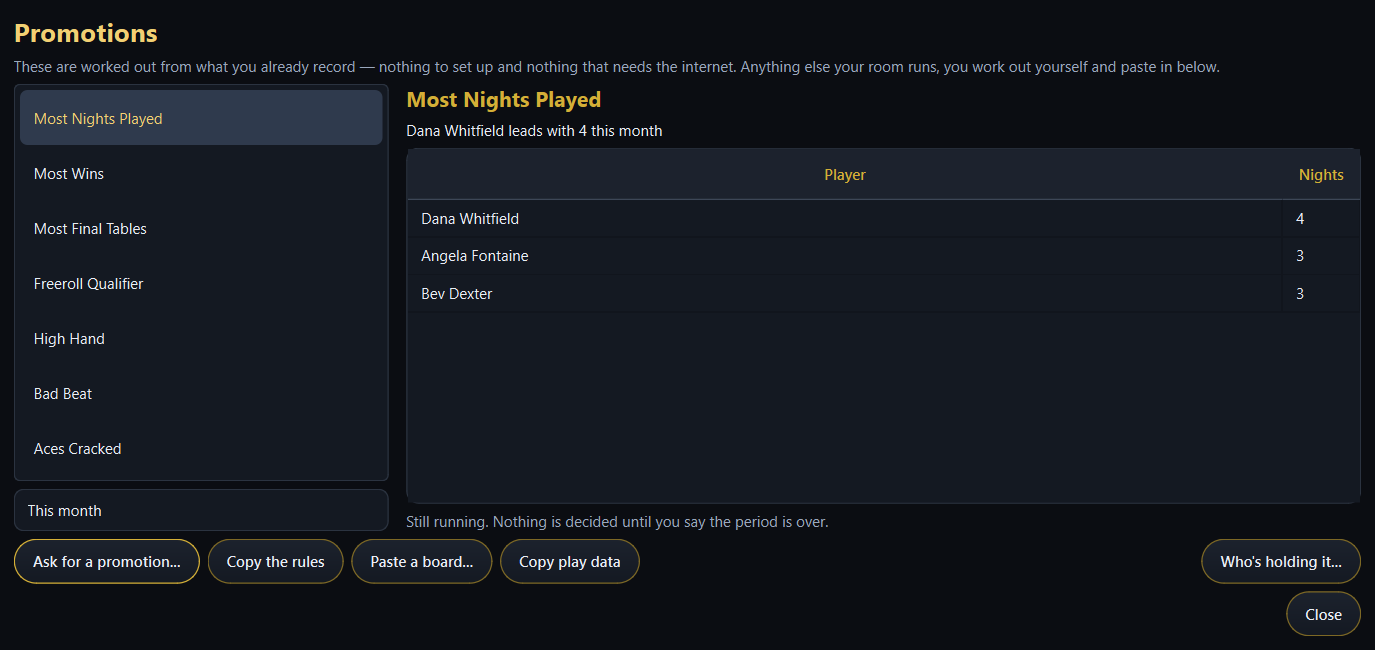
Seven come ready to run, from most nights played to the bad beat pot, worked out from the nights you have already recorded. Anything your own room runs, you build: describe it in plain words — a ticket for every two hours at a cash table — and the program tracks it and shows every player where they stand.
The Assistant
Tell it what you want in your own words — “open sign-ups at 2pm”. It reads the sentence back as a list of what it would do, and does none of it until you press Do it. It never interrupts: it speaks only when you open it.
Your screens
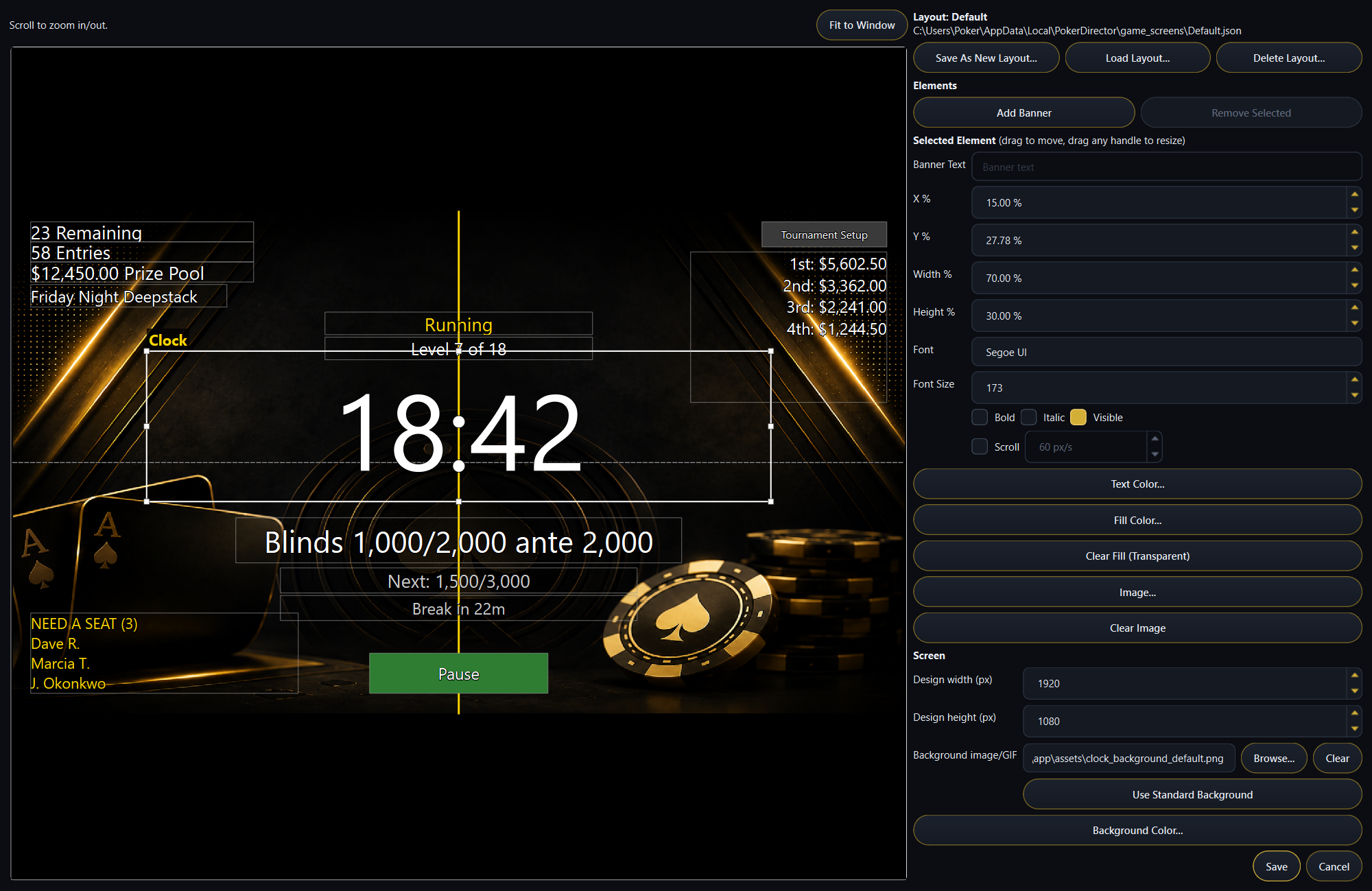
Run every screen in the room off the one PC — clock, seating chart, cash list, high hands and the check-in code — each on its own monitor, or two of them sharing one. Move, resize, recolour or hide anything, and put your own banners up.Additional monitors or televisions, and the hardware to drive them, are not included.
Your side of the room
The screen on the wall, and the one in your hand.
They are the same job. The television shows the room where it is;
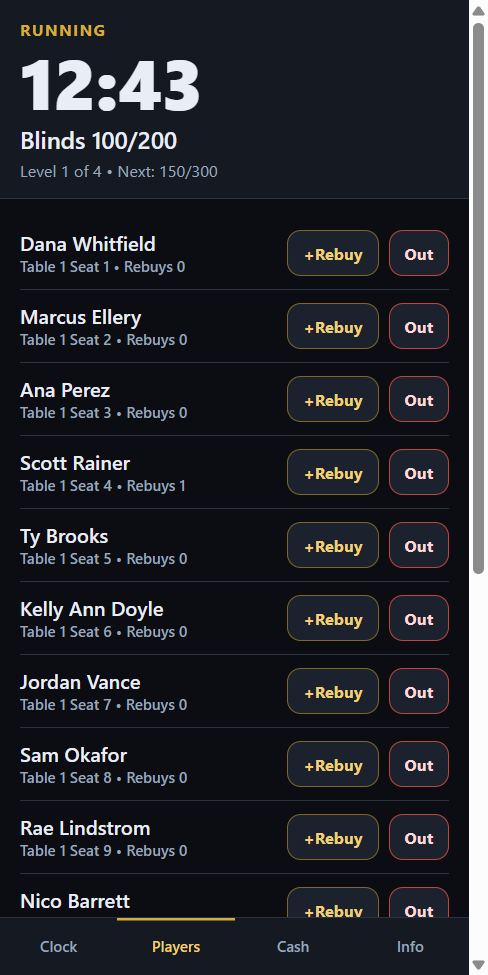
the phone runs it from wherever you are standing — start and pause the clock,
knock players out, seat late arrivals and work the cash list, over your own wi-fi.
Custom clock screens
Saved tournaments
Player check-in
Season standings
Phone remote
The cash room
Keep them coming back
Promotions: take one off the shelf, or build your own.
Seven come ready to run and need nothing set up
— most nights played, most wins, most final tables, a freeroll qualifier, and
the high hand, bad beat and aces cracked pots. Pick one and it is already worked out
from the nights you have recorded.
Anything your own room runs, you can build. Describe
it in your own words — “a ticket for every two hours of cash play, drawn
end of month” — and get a working one back. Or work it out yourself and
paste the board straight in. Either way the program then tracks it and shows every
player where they stand.
It runs on your PC, from records that never leave it, and nothing is
declared won until you say the period is over. Whatever the board says, the program
never moves money: it tells you what is owed, and handing it over stays yours.
One PC, every screen in the room
Put each screen where the room needs it.
The clock on the television, the seating chart on a second screen,
the cash list and the high hands on a third — each one sent where you want it,
or two of them sharing a single monitor, split down the middle. Move, resize,
recolour or hide anything on any of them, and put your own banners up.
Clock screen
Seating chart
Cash list
High hands
Check-in code
Your own banners
More than one screen means more than one
display. Extra monitors or televisions, and the video outputs, cables or splitters
to drive them, are not part of the software and are yours to supply.
Their phoneAnywhere but the venue.
Their side — and they are not here yet
One code on the wall. One page, from anywhere.
A player checks the queue from the car park, puts their name down
from the sofa on a Tuesday, and looks up where they stand in the season on a night
when nothing is running at all.
None of it needs them to be in the building. It is the same link
every week, and their phone sounds when a seat comes free.
The app runs your night. This puts your room online — signups,
standings, the cash list and a live view of the tournament — on one link that
never changes, and keeps your season somewhere it cannot be lost with a computer.
It is a monthly subscription with a free trial, entirely separate from the app: if it
ever lapses, the clock, the roster, the payouts and the seating chart carry on exactly
as they are.
They sign up before the night
One link, printed once, that players use from home — with your buy-in and your add-ons on it, and a running total of what they will owe at the door. Nobody has to be in the building to put their name down.
Know your numbers days ahead
The page shows how many have signed up, so you can check it from your phone on a Tuesday and decide how many dealers you need. It resets itself once you record the game.
How busy the room is, before they set off
The venue page says how many tables are running and how full each one is. Tick one box and a player can tap a table to see who is sitting at it; leave it unticked and it stays a headcount, which is all somebody at home needs to decide whether it is worth the drive.
Players find their own row
Somebody who put their name down sees themselves on the list, and their phone sounds when you call their seat. No account, no password, nothing to install.
Open the cash list with this PC switched off
Make a phone code from the Cash Game page and whoever holds it can open tonight’s list from their phone. It can do nothing else — it cannot publish, cannot see the tournament and cannot change a setting. Every opening says when it stops, and one button takes the code back.
The list can open itself
Give it a day and a time and it opens without you. Nothing opens without a closing time, so there is no way to leave it quietly taking names all week.
Your season, where players actually look
Standings live online all week — and the quiet nights, when nothing is running, are exactly when somebody pulls out their phone to see where they stand. A league people can check is a league people stay in.
One code on the wall, forever
The link belongs to your competition, not to one night. Same code next week, next season, and after you replace the PC. Print it once and leave it up.
Watch it live
The clock, the blinds and who is left, on any phone in or out of the room. Players who busted early still follow it, and so does whoever is deciding whether to drive over.
The cash list fills itself
Players put their own names down before you have even opened up, and the order is the order they asked — not the order you got round to typing them in.
Your league outlives your computer
Every finished game is kept off-site. If the PC is stolen, drowned or simply dies, sign in on a new one and take your whole season back — and the code on your wall keeps working, because the address never changes.
Results emailed without a mail server
Type who they go to. That is the entire setup — no SMTP server, no port, no app password to create on somebody else’s website. Replies come back to you.
Players keep their own record
A player ticks one box when they sign up and gets an icon for their phone showing every venue they have played that uses Poker Director, what they did there, and a way straight back to any of those check-in pages. Nothing for you to set up, and nothing kept for anybody who does not tick the box.
Their cash results stay theirs
A player’s record shows tournament places and payouts — the same figures already on your standings board. What somebody bought in for at a cash table and what they took away is never asked for and never held, so it is not yours to be answerable for.
Your licence number, everywhere
Type it once and it appears on every player-facing page and at the foot of the results email.
A look at it
The real screens, not mock-ups.
One spare monitor, split: the cash list, the high hands and every side pot.Type in who holds the high hand. The room sees it straight away.Loyalty boards, high hands and freeroll qualifiers — worked out on this PC from nights you have already recorded.What a player sees when they scan the code: the queue, their own place in it, and the season underneath.Run the clock from your phone — start, pause, and move levels.The whole roster in your pocket: rebuys and eliminations from the floor.Seat somebody or take them off the cash list without walking back to the PC.Payouts and the seating draw, for when somebody asks and you are not at the desk.Clock screenCustomizable clock screenSeating chart
Why this exists
Built to fill in what the others left out.
PD.net came about from seeing and using other software in the
industry. We built this system to fill in the shortcomings of other systems.
This project has been built from the ground up. With that said, if
there is an issue — or something you would like to see in the program —
send an email with the details to
support@poker-director.net.
The intention behind this system was for small venues to have
access to the expensive capabilities of professional software, without the large
expense. For this system to work by design it has to maintain a fairly large backend,
which is what Live Services supports.
It runs on your PC, and it’s yours
Buy it once and own it. No account to create, no subscription to keep the clock
ticking, and nothing that stops working because a card expired or a company
folded.
Game night never depends on the internet
The venue’s wi-fi is somebody else’s problem. Everything that runs
the tournament runs locally, and it keeps running if the connection drops
mid-level.
Your data belongs to you
Every season, every result, every player list sits in a folder on your own
machine, in a form you can copy, back up and take with you.
Nobody’s money moves through it
Buy-ins, prize pools and the cash list are numbers this software helps you keep
straight. It never touches the money itself — that stays between you and your
players, where it belongs.
I hope you find this product to your liking. Play well!
Thanks, The PD.net Team
Getting started
Three steps, and you’re running.
Signed, and safe to install
Every release is signed with a Microsoft-verified publisher certificate, so
Windows can confirm the file came from us and has not been altered.
If you do see a blue “Windows protected your PC”
box, click More info then Run anyway. Windows
shows that for any newly published program until enough people have installed it
— it is not a virus warning.
Getting your licence key
Download and run the installer, then open Poker Director.
It shows an Installation ID — a short code like
A9JF-3ULS-JU4W-WDY6. Email it to
keys@poker-director.net.
I’ll send back a licence key. Paste it in, and you’re running.
A key works on one computer. Reinstalling on the same machine keeps working with
the same key; a new computer needs a new one, so just send me the new Installation
ID.
After that, it’s yours
Everything runs on your own PC. No account, no subscription, and nothing needs
an internet connection once you’re activated — including on game
night.
This mark means the card needs Live Services — the optional monthly
subscription that puts your room online. It is the part that reaches a player who
is not in the building: signing up from home, checking the cash queue from the car
park, looking up the season on a Tuesday.
Everything without the mark runs on your PC with the internet off, and keeps
running if the subscription ever lapses.